
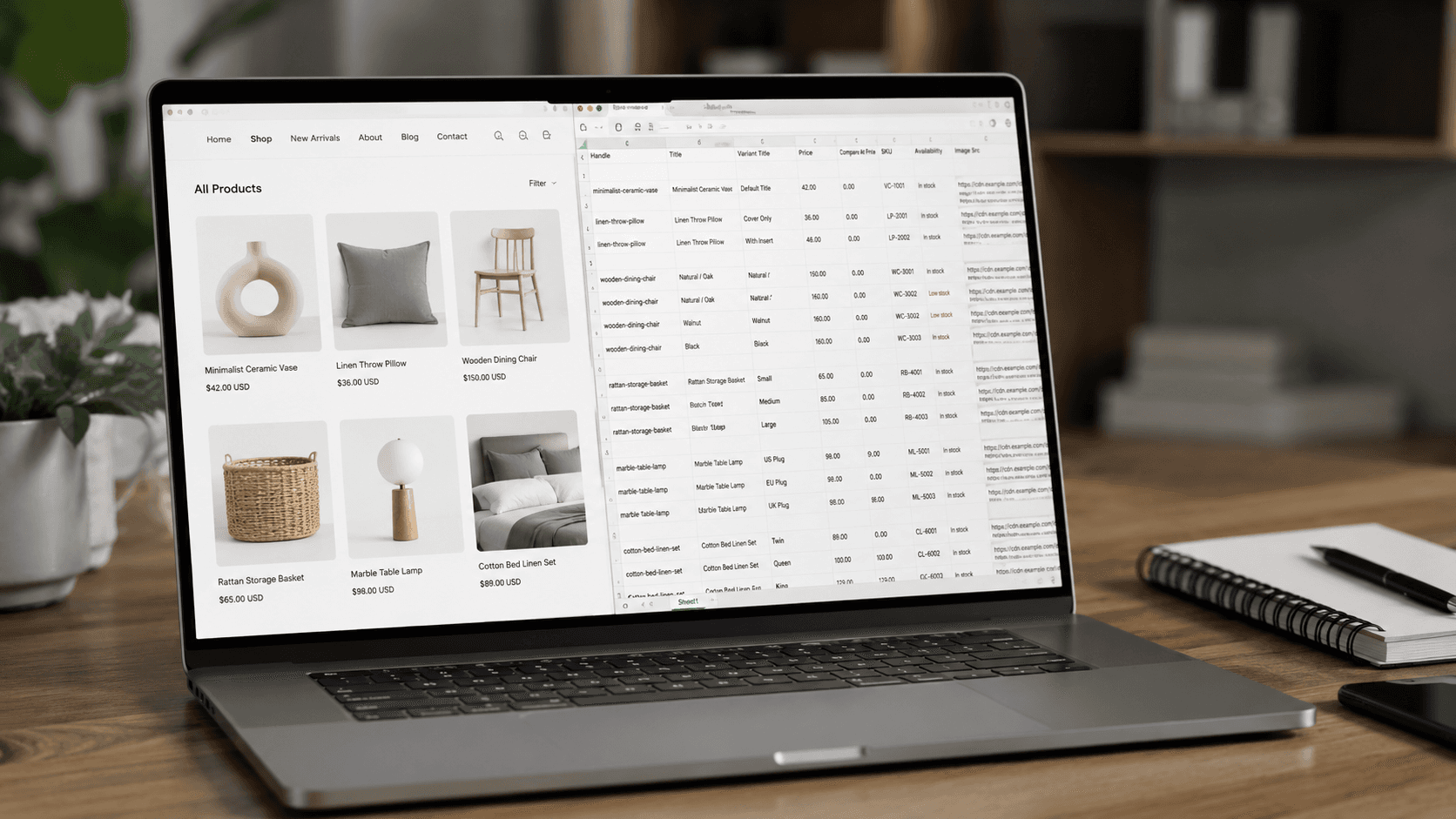
Shopify powers millions of storefronts, and from a data perspective that is unusually good news. Most e-commerce scraping projects start with a painful discovery phase: every retailer builds its product pages differently, so every new source means a new set of selectors and a new thing to maintain. Shopify breaks that pattern. Underneath the themes, the fonts, and the custom sections, every Shopify store shares the same product model, the same URL structure, and — in most cases — the same publicly readable data layer.
That means a method that works on one store usually works on the next thousand. It also means Shopify scraping has its own specific traps: endpoints that quietly disappear, fields that look complete but aren't, and prices that change depending on which country you request them from.
This guide covers how to scrape a Shopify store end to end: how to confirm a site actually runs on Shopify, what data you can realistically extract, the three practical methods (public JSON, a custom scraper, and a no-code tool), what to do when the easy route is blocked, and where the legal line sits.
Why Scraping a Shopify Store Is Different
On a custom-built retailer site, product data lives in the HTML. You find the price, you write a selector, and you hope the front-end team doesn't touch that div for a while. On Shopify, the product data exists as a structured object first, and the page is rendered from it — which means you can frequently ask for the object directly instead of reverse-engineering the page.
Three consequences follow, and they shape everything else in this guide:
Structure is predictable. Product URLs are
/products/<handle>. Collections are/collections/<handle>. Every product has a handle, a set of variants, and an options model. This is true whether the store sells running shoes or industrial fasteners.A lot of it is public by design. Shopify exposes several JSON endpoints that themes use to build interactive elements — variant pickers, cart drawers, quick-view modals. Those endpoints answer to anyone who requests them, no authentication needed.
Coverage is uneven. "Public by design" is not the same as "guaranteed." Larger merchants, Plus stores, and anyone running bot mitigation may restrict the same endpoints that work fine on a small store. Any serious Shopify data scraping setup needs a fallback path.
How to Find Shopify Stores and Confirm the Platform
Before you write a line of anything, confirm the target actually runs on Shopify. A surprising number of "Shopify scrapers" fail because the store migrated to another platform two quarters ago.
Check the asset URLs. View the page source and search for cdn.shopify.com. Themes load images, scripts, and stylesheets from Shopify's CDN, and that reference is very hard to remove entirely.
Check for the theme object. Shopify themes expose a global JavaScript object containing the shop domain, currency, and locale. Its presence in the page source is a reliable signal.
Ask the cart. Request /cart.js on the domain. A Shopify store returns a small JSON object describing an empty cart. Anything else — an HTML 404, a redirect — means you are probably not on Shopify.
Check the response headers. Shopify-served responses typically carry platform-specific headers identifying the shop and the serving stage.
If you need to build a list of stores rather than verify one, the practical routes are platform directories, technology-detection databases, and app-store or theme-showcase listings. Guessing domains does not scale, and neither does asking a general search engine to enumerate them.
What Data You Can Extract from a Shopify Store
A complete Shopify product record is richer than most people expect. Realistically available fields include:
Product core — title, handle, product type, vendor, tags, full HTML description, publication date
Variants — one row per size/colour/material combination, each with its own price, compare-at price, SKU, barcode, weight, and availability flag
Options — the option names and values that generate those variants
Media — the full image gallery in display order, plus which image belongs to which variant
Collection membership — which categories a product appears in, if you crawl collections rather than the flat product list
Pricing signals — current price and compare-at price, which together reveal discount depth and promotional cadence
What you will not get from the public layer is covered in its own section below, because misunderstanding that gap is the single most common Shopify scraping mistake.
Method 1: The Public products.json Endpoint
This is the method every guide leads with, and for good reason: for a small store, it is a browser tab away.
The basic request
Append /products.json to a store's domain:
The endpoint returns a JSON object containing a products array with product records, including their variants, images, and descriptions. No parsing, no headless browser, no selectors. For a quick look at a competitor's catalogue, this is genuinely a thirty-second job.
Page size and pagination
By default the endpoint returns a small slice of the catalogue — roughly the first few dozen products. You can raise that with a limit parameter, up to a ceiling of 250 per request:
For small and medium-sized catalogues, you can continue requesting subsequent pages until no more products are returned. However, this approach should not be treated as a guaranteed way to retrieve an entire catalogue of any size. Shopify applies pagination limits to some storefront surfaces, so very large catalogues may require a different strategy.
For larger catalogues, consider splitting the crawl by collections or other catalogue segments, or use the store's product sitemap to discover product URLs. In practice, limit=250&page=N is a useful approach for many stores, but a robust scraper should have a fallback when the endpoint does not expose the complete catalogue.
Collection-level and single-product variants
Two related endpoints are often more useful than the flat list:
The first preserves category context, which matters if you are mapping a competitor's assortment rather than dumping it. The second returns a single product and is the endpoint themes use to power variant selectors. Watch the units: the .js endpoint expresses prices as integers in the store's smallest currency unit, so 2499 means 24.99. Mixing the two formats in one dataset is a classic source of pricing errors that look like a competitor undercutting you by a factor of a hundred.
What products.json Doesn't Give You
Here is where most Shopify scraper tutorials stop and most real projects begin. The public JSON is a theme payload, not a catalogue export. Missing or unreliable:
Actual inventory counts. You get a boolean availability flag per variant, not a quantity. "In stock" tells you nothing about whether the competitor has four units or four thousand. Depth has to be inferred over time by watching when the flag flips — which is exactly why tracking stock and availability across competitor stores is a scheduled exercise rather than a one-off pull.
Localised prices. Shopify Markets lets a merchant serve different prices, currencies, and even different product availability by country. A single request from a single location returns one version of the truth. If you are comparing prices across regions, you need requests originating from those regions.
Reviews and ratings. Shopify does not store reviews natively for most merchants — they live in third-party apps such as Judge.me, Loox, or Yotpo, each with its own widget and its own data source. Ratings usually have to be read from the rendered page or the app's own endpoint.
Metafields and specifications. Technical specs, ingredient lists, compatibility tables, and sizing data are frequently stored as metafields or embedded in the description HTML. The public JSON exposes the description but not the structured metafields behind custom theme sections.
SEO fields and structured data. Meta titles, meta descriptions, and JSON-LD markup live on the rendered page, not in the JSON feed.
Anything behind a discount app. Cart-level promotions, bundle pricing, quantity breaks, and subscription discounts are applied later in the funnel. The listed price is not always the price a customer pays.
For a lot of use cases none of this matters. For competitive pricing, assortment analysis, or catalogue building, most of it does.
When the JSON Endpoint Doesn't Work
Assume it will fail on some fraction of your targets. Common failure modes and what to do:
A 404 on /products.json. Some merchants disable the endpoint at the theme or proxy level. Fall back to the product sitemap: https://example-store.com/sitemap.xml links to sitemap_products_1.xml (and _2, _3 for larger catalogues), giving you a full list of product URLs to crawl individually.
A password page. The store is not publicly launched. There is no legitimate way past this, and there shouldn't be.
Rate limiting. Sustained request volume from one address will earn throttling, and Shopify's edge protection can reject traffic it considers automated. Deliberate pacing, distributed requests, and realistic session behaviour are the answer — not brute force.
Incomplete or stale data. Occasionally the JSON reflects a cached state that lags the page. If your price monitoring shows a change the storefront doesn't, verify against the rendered product page before acting on it.
Rendered-only content. Reviews, live inventory widgets, and app-injected sections require executing the page, not just fetching it. That means a browser-based extraction path alongside the JSON path.
The general pattern for anyone building a serious Shopify store scraper: JSON first because it is cheap, sitemap second for coverage, rendered page third for the fields JSON can't reach.
Method 2: Building Your Own Shopify Scraper
If you have engineering capacity, a custom scraper is straightforward to start and less straightforward to keep alive. The build itself is a weekend: request the JSON, paginate, flatten variants into rows, write to storage.
What you actually sign up for is the operational half:
Proxy management for geographic price coverage and for spreading load
Retry and backoff logic that distinguishes a transient failure from a permanently changed endpoint
A browser rendering path for the fields the JSON omits
Normalisation — currency conversion, unit harmonisation, brand and category mapping across stores
Product matching by SKU, barcode, or title similarity, so that two stores' listings for the same item line up
Monitoring that tells you when a source has gone quiet, rather than letting a silent zero flow into a pricing model
None of that is exotic. All of it is ongoing. The honest way to frame the decision is the one we set out in the build vs buy analysis: build if data collection is your product, buy if the data merely feeds your decisions.
Method 3: A No-Code Shopify Scraping Tool
The third option skips both the JSON plumbing and the maintenance. You paste a store URL — a homepage, a collection, or a single product page — choose the fields you want, and receive a structured export.
The workflow is three steps:
Submit the source. One entry point is enough; the crawler follows pagination and maps the catalogue from there.
Choose your fields. Prices, compare-at prices, availability, titles, descriptions, images, SKUs, barcodes, variants, and custom attributes.
Export or schedule. CSV, Excel, or JSON on demand — or a recurring run that refreshes prices and stock daily, weekly, or monthly.
The advantage over a hand-built script is not the initial extraction; it is everything after it. Site changes, blocked requests, and inconsistent formatting are handled upstream, and validation catches the anomalies before they land in your spreadsheet. If you want the general version of this workflow across any platform, we've written it up in how to scrape product data without coding.
Comparing the Three Methods
products.json by hand | Custom Shopify scraper | No-code scraping tool | |
|---|---|---|---|
Skills needed | Browser and patience | Python/JS developer | None |
Realistic scale | One store, one snapshot | Hundreds of stores | Hundreds of stores |
Fields beyond core JSON | No | Yes, if you build for them | Yes |
Handles blocks and throttling | No | You build it | Built in |
Scheduled refresh | Manual | You build it | Configurable |
Ongoing cost | Your time | Engineering time, proxies, infra | Subscription |
Best for | A quick look at one competitor | Teams where data is the product | Everyone else |
What Teams Actually Do with Shopify Data
Competitive pricing. The largest use case by volume. Compare-at prices make Shopify unusually informative here: you can see not just what a competitor charges but how deep and how often they discount. Because no partnership or API key is involved, you can monitor competitor prices without integrations on any publicly visible storefront.
Assortment and gap analysis. Crawling a competitor's collections tells you how they structure a category, how deep they go in each subcategory, and which products they carry that you don't.
New-product and restock detection. Products carry publication timestamps, and availability flags change. Watching both turns a catalogue into a feed of competitive events: a launch, a sellout, a quiet delisting.
Catalogue building from suppliers. Many suppliers and distributors publish full product content online while offering only a bare price list as a feed. Scraping the storefront gives you the descriptions, specifications, and photography that the feed leaves out.
Migration and replatforming. When moving a store between platforms, reading the live storefront often captures more than an admin export does — particularly variant structure and category hierarchy.
From Scraped Data to a Shopify Import
If the goal is to load products into Shopify rather than analyse them, the extraction is only half the job. Shopify's product importer is strict in ways that catch people out:
Handles are identity. The handle is the URL slug, the key that groups variant rows, and the value Shopify uses to decide whether an uploaded row creates a new product or updates an existing one. Unstable handles turn a second import into a duplicate catalogue instead of an update.
One row per variant, not per product. The first row of a group carries the full product content; subsequent rows carry only what differs. Hand-built spreadsheets get this wrong more often than any other detail.
Images are URLs, not files. Shopify fetches each image itself during the import, which means the URLs must be publicly resolvable — not behind a login, not hotlink-protected, not relative paths copied out of page source.
Getting a scraped dataset into that exact shape is its own project. If that's where you're heading, our Shopify catalogue import service delivers the file in the column order the importer expects, with handles and variant grouping already resolved.
Five Mistakes to Avoid
Trusting the availability flag as an inventory count. It's a boolean. Depth comes from watching it over time.
Mixing price formats. Decimal strings in one endpoint, integer minor units in another. Normalise on ingest.
Scraping from one location and calling it global pricing. Shopify Markets makes prices regional.
Ignoring compare-at price. It is the most under-used field in Shopify data and the clearest signal of discount strategy.
Treating a one-off export as a dataset. Prices and stock move daily. A snapshot ages into misinformation within a week.
Frequently Asked Questions
Can you scrape any Shopify store?
Most, but not all. Publicly accessible storefronts are generally collectable. Password-protected stores, merchants who disable the public JSON endpoint, and sites running aggressive bot mitigation need a different approach — usually a rendered-page path with realistic request behaviour.
Do I need coding skills to scrape a Shopify store?
No. A single store's catalogue is visible through the public JSON endpoint in a browser, and no-code tools handle multi-store, scheduled extraction without any scripting.
How many products can I get in one request?
The public endpoint caps at 250 per request, with a smaller default. Larger catalogues require paging through, and very large ones are better handled by a crawler working from the product sitemap.
Can I get competitor inventory levels?
Not as numbers. You get an in-stock / out-of-stock flag per variant. Tracking how that flag changes over time is the practical substitute, and it's often more useful than a raw count anyway.
Can I export products out of my own Shopify store this way?
Yes, and reading the live storefront frequently captures more than an admin export — particularly variant structure, category hierarchy, and full image galleries.
How often should I refresh Shopify data?
Daily for competitive pricing in fast-moving categories, weekly for assortment tracking, monthly for supplier catalogue maintenance. A one-time pull is fine for a market study and unfit for a pricing decision.
Scraping Shopify Stores with ShopScraping
You don't need to build a custom Shopify scraper to collect this data. The workflow is four steps:
Paste the store URL. A homepage, a collection, or a single product page — one entry point is enough.
Choose the fields. Titles, prices, compare-at prices, variants, SKUs, barcodes, availability, descriptions, images, and custom attributes.
Run it and export. The storefront becomes a structured dataset, delivered as CSV, Excel, or JSON.
Schedule updates. Recurring runs for prices, stock, or assortment — daily, weekly, or monthly.
Everything in the operational list above — pagination, rendering, retries, normalisation — is handled on our side rather than yours.
Start Collecting Shopify Data
Shopify is the friendliest major platform to scrape and the easiest one to scrape badly. The public JSON gets you a catalogue in minutes; the gaps in it — regional pricing, real availability signals, reviews, specifications — are what separate a quick look from a dataset you can run a pricing decision on.
Whether you are tracking a handful of competitors or building a catalogue from a supplier's storefront, the workflow is the same: pick your sources, pick your fields, and let it refresh itself.
Start scraping Shopify stores with ShopScraping — paste a store URL, choose your fields, and get clean, import-ready data.


