
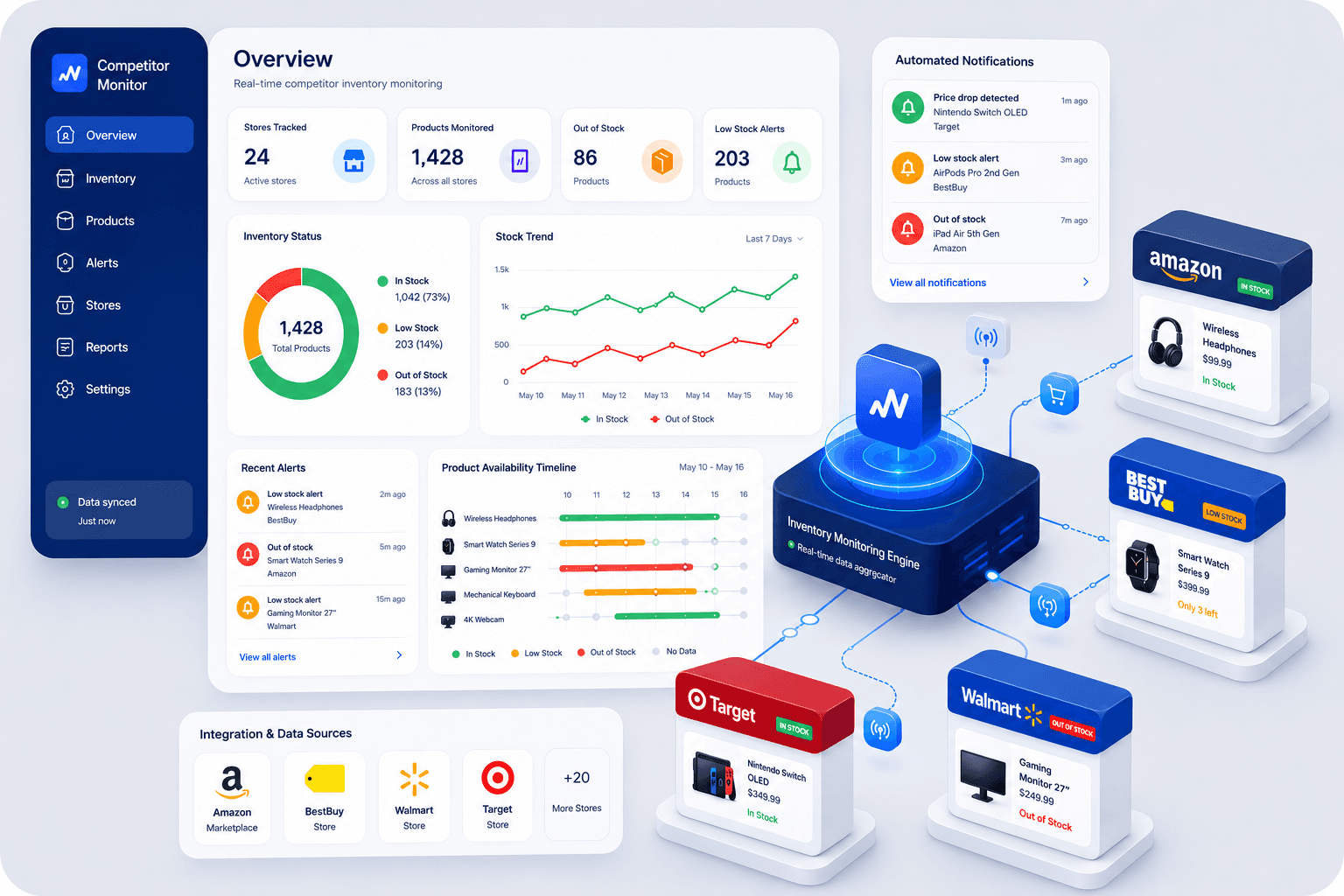
Price is the metric everyone watches. Stock is the metric everyone forgets — until a competitor runs out of a bestseller and their traffic quietly starts flowing to you, or until you're the one caught flat-footed by a rival's restock and a fresh round of discounts.
Availability data is one of the most underused signals in e-commerce. In many cases, it's easier to collect than detailed pricing data, and unlike prices — which can change frequently due to promotions, dynamic pricing, or testing — stock availability often reflects real operational conditions. It reveals where demand is accelerating, where supply chains are under pressure, and where competitors may be losing sales.
This guide covers why stock monitoring matters, what to track, and how to turn it into a data feed you can analyze on your own schedule.
Why Stock Monitoring Matters
Every "out of stock" badge on a competitor's site is a signal, not just a status update.
Upsell and share-of-wallet opportunities. When a competitor sells out of a popular SKU, shoppers don't stop looking — they go to the next result. If you're tracking availability, you know exactly when to push that product in ads, feature it on your homepage, or bump its price slightly to capture margin from the temporary demand shift. It's one of several ways retailers use competitor data to win on price without simply cutting it.
Demand forecasting. A product that repeatedly goes out of stock across multiple competitors is telling you something about category demand before your own sales data would. This is especially useful ahead of seasonal peaks, when lead times for reordering are long.
Supply chain intelligence. Frequent stockouts on a competitor's site can indicate supplier issues, logistics problems, or a SKU they're deprioritizing — all useful context if you're negotiating with the same suppliers or considering entering their niche.
Competitive response timing. If a competitor restocks a product you've been quietly gaining share on, that's your cue to react — with promotions, bundling, or messaging — before they recapture the customers they lost while unavailable.
None of this is visible if you're only watching prices.
Manual vs. Automated Tracking
The manual approach is simple in theory: visit competitor product pages regularly and note whether items are in stock.
In practice, it breaks down fast:
It doesn't scale. Tracking 20 SKUs across 5 competitors by hand means 100 page checks — daily, if you want the data to be useful.
It's easy to miss short windows. Stockouts and restocks can happen and reverse within hours. A manual check will miss most of them.
Stock status isn't always obvious. Some sites remove out-of-stock products from listings entirely rather than showing a badge, which means "checking the page" isn't enough — you need to check whether the product is still listed at all.
There's no historical record. A manual check only shows you the current state. Without a saved history of past checks, you can't spot patterns like recurring stockouts or how long a competitor typically stays out of stock.
Automated tracking solves all three problems: it checks on a consistent schedule, catches short-lived changes, and builds up a historical dataset you can go back and analyze whenever you need it.
What Data to Collect
A useful stock-monitoring setup tracks more than a binary in-stock/out-of-stock flag. At minimum, aim to capture:
Current availability status — in stock, out of stock, backorder, pre-order
Stock level, where visible — some sites show exact counts or "low stock" warnings, which are strong urgency signals
Restock timestamps — when an item goes from unavailable back to available
Stockout duration — how long a product stayed unavailable, which tells you how serious the supply issue was
Delisting vs. stockout — whether a product disappeared from the catalog entirely or just shows as unavailable
Variant-level status — availability often differs by size, color, or SKU variant, and tracking only the parent product hides this
The more granular the data, the more actionable the patterns you can find — for example, noticing that a competitor consistently runs low on a specific size or color, which points to a demand gap you could fill.
Turning Regular Data Drops into Insight
Rather than relying on real-time alerts, a more sustainable approach for most teams is a regular, scheduled data feed — availability data pulled at a consistent interval (daily, weekly, or whatever cadence fits your category) and delivered to you as structured data you control.
This puts the analysis in your hands rather than locking it inside a fixed alert rule, and it comes with a few practical advantages:
You define what matters. Instead of a preset threshold deciding what counts as "worth knowing," you set your own rules once you see the data — flag SKUs that stay out of stock longer than X days, compare stockout frequency across competitors, or build a "share of catalog available" trend line per competitor.
You get history, not just snapshots. Because each data pull is timestamped and retained, you can look back over weeks or months to spot patterns — which competitor consistently under-stocks a category, which SKUs churn between in-stock and out-of-stock, and how stockout duration trends over time.
It fits into tools you already use. A regular feed of structured availability data drops cleanly into a spreadsheet, BI tool, or internal dashboard, so your team can slice it however's useful — by category, by competitor, by season — without being boxed into someone else's alert logic.
Use Case: Spotting Patterns Over Time
Here's how this plays out in practice. A team pulls daily availability data across five competitors for their top 100 SKUs. After a few weeks, the dataset shows that one competitor is out of stock on a specific product line roughly 30% of the time — far more than the others.
That's not something a single alert would have surfaced clearly; it only becomes visible once the data accumulates. With that pattern in hand, the team can make an informed call: increase inventory on that product line, adjust pricing to capture the demand that competitor is regularly missing, or feature it more prominently when they know that competitor is likely to be out of stock.
How to Set This Up with ShopScraping
Manually rebuilding this kind of monitoring means writing scrapers, handling site changes, managing proxies, and building your own storage and reporting layer — a significant lift for data that should be simple to access.
With ShopScraping, stock and availability tracking works without any of that infrastructure:
Add the competitor website URLs (or category pages) you want to track.
ShopScraping checks availability status, stock levels where visible, and variant-level data on a regular schedule you choose.
Each run is delivered as structured, exportable data — no manual page-checking required.
Load it into your own spreadsheet, BI tool, or reporting workflow to build the views and thresholds that matter to your team.
No scraping code, no proxy management, no maintenance when a competitor redesigns their site — just clean availability data, delivered on schedule, ready for your own analysis.
Key Takeaways
If you're only tracking competitor prices, you're missing half of the picture.
Stock availability reveals demand shifts, supply issues, and competitive opportunities long before they appear in pricing data. Automated monitoring turns those signals into actionable insights, allowing your team to react before competitors do.


