
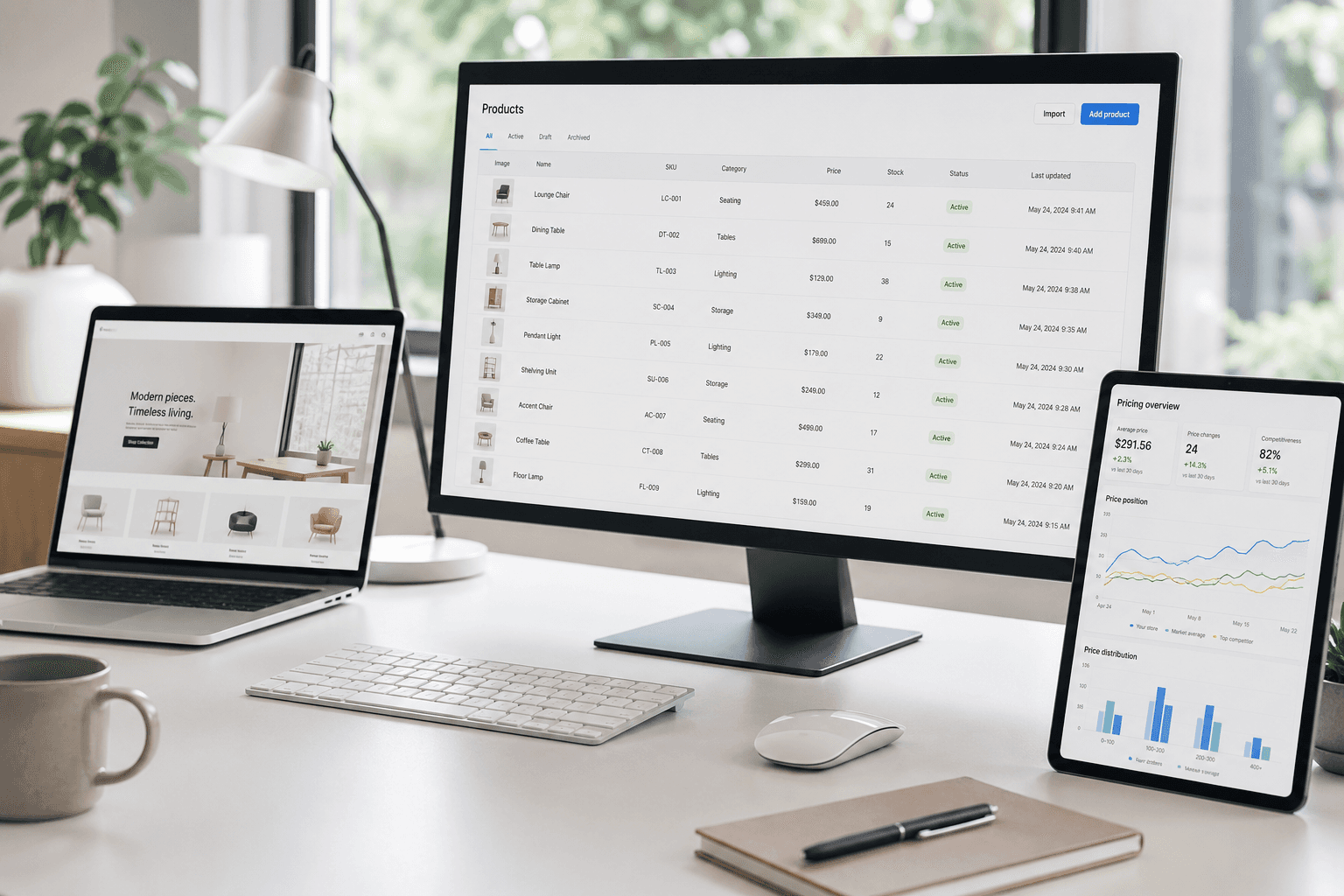
E-commerce web scraping is the automated extraction of structured product data — prices, stock levels, descriptions, images, and reviews — from online stores, turning pages built for shoppers into clean datasets built for analysis. Instead of a person copying details by hand, software reads a store's pages and outputs the data in a usable format like CSV, Excel, or JSON.
That single capability sits behind a huge share of modern retail decisions: how brands set prices, which products they add to their catalogs, and how they track competitors. This guide explains what e-commerce scraping is, how it works step by step, what data you can collect, where it's used, the challenges involved, and whether it's legal.
What Is E-commerce Scraping?
At its core, e-commerce scraping is a method of collecting publicly available information from online stores automatically. A program — usually called an ecommerce scraper — visits product and category pages, identifies the fields you care about, and pulls them into a structured table or file.
The keyword is structured. A product page is designed to be read by humans: prices sit next to buttons, specs hide in tabs, and availability is often just a colored label. Scraping (a form of product data extraction) converts that visual mess into consistent, machine-readable records you can sort, compare, and feed into other tools.
E-commerce Scraping vs. Manual Data Collection
You can gather this data by hand — open a page, copy the price, paste it into a spreadsheet, repeat. That works for ten products. It falls apart at a thousand. Prices change daily, competitors launch new items constantly, and inventory shifts without notice. Manual tracking simply can't keep up once a team needs to monitor hundreds or thousands of SKUs across multiple stores. Automation is what makes continuous, large-scale monitoring possible.
Web Scraping vs. an API: What's the Difference?
People often ask how scraping differs from using an API. An API (Application Programming Interface) is a channel a company deliberately opens to share data in a clean, agreed format. When a retailer offers one, it's usually the best route. The catch: most online stores don't offer a public product API, or they restrict it heavily. Web scraping fills that gap by reading the same page a browser reads — so you can collect data even when there's no official feed to plug into.
How Does E-commerce Web Scraping Work?
Under the hood, an ecommerce scraper follows the same basic sequence a browser does when you open a page — it just does it automatically and at scale. Here's how the process works:
Sending a request. The scraper sends an HTTP request to a store's URL, exactly as your browser does when you visit a product page.
Receiving the HTML. The server returns the page's source code — typically HTML, sometimes with embedded JSON.
Parsing the page. The scraper reads that code, navigating the page's structure (the DOM) to locate specific elements using rules like CSS selectors.
Extracting the fields. It pulls out the values you defined — title, price, availability, SKU, images, and so on.
Structuring and exporting. The raw values are cleaned, normalized, and saved into a consistent format (CSV, Excel, JSON) ready for analysis.
Let's break down the parts that actually decide whether the data is usable.
Step 1: Sending a Request to the Store
Every scrape begins with a request to a URL — a single product page, a category listing, or a search results page. Well-behaved scrapers set proper headers (like a realistic user agent) so the request looks like normal browser traffic rather than an obvious bot.
Step 2: Parsing the HTML
Once the page's code comes back, the scraper has to understand it. Parsing means walking through the document's structure to find where each piece of data lives — the <h1> holding the product title, the element carrying the price, the block listing specifications. This is where extraction rules are defined.
Step 3: Extracting the Target Fields
With the structure mapped, the scraper collects the fields you asked for. The tricky part is consistency: the same "price" element can appear in different places on a product page versus a listing page, and a single product with multiple sizes and colors isn't one record — it's a matrix of variants that each need their own price and stock status.
Step 4: Handling Dynamic and JavaScript-Rendered Content
Many modern stores don't ship product data in the initial HTML. Instead, they load prices, variants, and inventory through JavaScript after the page opens. A simple scraper that only reads the first response sees a blank space where the price should be. To handle this, scrapers either render the page in a real browser environment (using automation frameworks) or read the underlying data feeds the page calls in the background.
Step 5: Structuring and Exporting the Data
Raw scraped values aren't ready to use yet. A price like $1,299.00 is text, not a number. "In stock," "Only 2 left," and a green badge can all mean the same thing in different formats. Good scraping includes normalization — converting messy page content into a repeatable schema — before exporting to CSV, Excel, or JSON. This is what turns a scrape into a dataset you can actually analyze or import.
What Data Can You Extract from E-commerce Websites?
Almost anything a store displays publicly on a product page can be extracted. The most commonly collected fields include:
Prices, discounts, and promotions — current price, original price, sale price, and promotional offers, tracked on demand or on a schedule.
Stock and availability — in-stock, out-of-stock, and low-stock status across stores.
Product information — titles, descriptions, categories, variants, and technical specifications.
Product identifiers — SKU, EAN, UPC, GTIN, or ASIN, used to match the same product across different stores.
Reviews and ratings — star ratings and review volume, useful for gauging popularity and customer sentiment.
Product images — primary and gallery images for catalog import or variant mapping.
Together these fields let you rebuild a competitor's entire catalog — not just their prices — as a clean, structured dataset. You can see the full range of extractable fields on the ShopScraping product page.
E-commerce Scraping Use Cases
The value of scraping isn't the data itself — it's what teams do with it. A few of the most common applications:
Competitor Price Monitoring
The most popular use case by far. By tracking competitor prices continuously, retailers can react to a rival's price drop in hours instead of days and keep their own pricing sharp. This is the foundation of any pricing strategy, and it's a problem you can solve without engineering work — see our guide on monitoring competitor prices without integrations and our dedicated competitor price monitoring solution.
Catalog and Assortment Management
Online catalogs change constantly. Scraping competitor catalogs helps you spot assortment gaps, find emerging products before they peak, and understand how similar items are positioned across the market — insight that's impossible to gather manually across dozens of competitor sites.
Market and Product Research
Aggregated product data across a category reveals demand trends, pricing bands, and white-space opportunities where demand is high but supply is thin — exactly the kind of signal that informs what to launch next.
Review and Sentiment Analysis
Scraping thousands of reviews and analyzing them systematically surfaces patterns no amount of manual reading can. Teams use it to track satisfaction over time, identify the features customers praise or criticize most, and even catch quality issues — like sizing inconsistencies driving returns — before they hit the bottom line.
Methods and Tools for Extracting Data from Online Stores
There's no single "right" way to scrape. The best method depends on your technical resources, scale, and how much maintenance you're willing to own.
Custom Scripts
Developers can build scrapers from scratch using languages like Python (with libraries such as BeautifulSoup for parsing and Selenium or Playwright for dynamic pages). This offers maximum control but comes with maximum maintenance — every site change can break the script.
Web Scraping APIs
Scraping APIs handle the infrastructure — page fetching, browser rendering, proxies, and retries — and return structured data. They're powerful for developer teams building data into their own systems, but they still require technical setup and coding.
No-Code Scraping Tools
No-code tools let non-technical users collect data through a visual interface — paste a URL, pick the fields, and export. They remove the coding barrier entirely, which is ideal for pricing, category, and research teams who need data without a developer.
Managed / Done-for-You Scraping Services
Managed services take on the whole workflow: setup, anti-blocking, maintenance, and data delivery. You describe what you need; the provider handles extraction, validation, and updates. This suits teams that want reliable data without dedicating engineering resources to scraper upkeep. ShopScraping combines the no-code and managed approaches — a paste-a-URL interface backed by a team that keeps your extraction accurate as sites change.
Common Challenges in Web Scraping
Scraping a single well-structured page is easy. Doing it reliably, at scale, across many stores is where most projects struggle. The recurring challenges:
Dynamic content. JavaScript-heavy stores hide product data behind rendering, so basic scrapers return empty results.
Anti-bot protection. CAPTCHAs, rate limiting, device fingerprinting, and IP blocking all work to stop automated traffic. A large share of web traffic is bot-driven, and e-commerce platforms have become aggressive about blocking it.
Site structure changes. Redesigns, A/B tests, and seasonal layouts silently break scrapers that relied on the old page structure — often without any obvious error.
Product matching. The same item appears under different names and identifiers across stores, so accurate price comparison depends on reliable SKU/EAN matching, not just extraction.
Data quality at scale. The real risk usually isn't a hard failure — it's silent degradation, where a dataset looks fine but is quietly incomplete or wrong. Automated validation is what catches this.
For a deeper look at why these problems compound as you scale, see our breakdown of why e-commerce web scraping became a real engineering problem.
Is E-commerce Web Scraping Legal?
Web scraping is not illegal by default, but its legality depends on what you scrape and how you scrape it. A few widely accepted principles:
Public vs. private data. Collecting publicly available data — data you can see without logging in — generally carries far less legal risk than data behind authentication or paywalls. In the landmark hiQ Labs v. LinkedIn case in the US, courts found that scraping publicly accessible data did not amount to "unauthorized access" under the Computer Fraud and Abuse Act (CFAA).
Personal data and GDPR. In the EU, the General Data Protection Regulation applies when scraped data includes personal information (names, reviewer identities, and similar). Pure price, product, and stock data is generally not personal data — but the moment individuals enter the dataset, GDPR obligations can apply.
How you access matters. Bypassing logins or CAPTCHAs, ignoring rate limits, or overloading a site's servers moves an activity toward the risky end of the spectrum. Respecting robots.txt, honoring rate limits, and not degrading a site's performance keep scraping on firmer ground.
In short: scraping public product data for price comparison and market research is widely treated as a legitimate business activity, while scraping gated or personal data is where the real risk lives.
Note: This is general information, not legal advice. If you scrape at scale or in a regulated industry, consult a lawyer familiar with data law in your jurisdiction.
Build vs. Buy: Should You Scrape In-House or Use a Tool?
Once you've decided you need product data, the next question is whether to build a scraper yourself or use an existing tool. Building in-house gives you full control but means owning the anti-bot arms race, the maintenance, and the data-quality workflow indefinitely — a real engineering commitment. Buying a tool or service gets you data now, without staffing a scraping team.
The honest answer depends on your scale and how core scraping is to your business. We walk through the tradeoffs in detail in Build vs. Buy: Do You Really Need to Build Your Own Competitor Data Pipeline?
How ShopScraping Makes Product Data Extraction Simple
ShopScraping is a no-code web scraping tool built specifically for e-commerce. It removes the two hardest parts of scraping — the coding and the maintenance — so you can focus on the data, not the pipeline:
AI-powered extraction automatically identifies product fields without manual configuration.
Works with any store — from Shopify and WooCommerce to custom-built platforms and large marketplaces.
Built-in anti-blocking keeps data collection stable and gap-free.
Adaptation to website changes means redesigns won't quietly break your data feed.
Scheduled crawling keeps prices and stock current — daily, weekly, or monthly.
Automated validation checks every record so only clean data reaches your dataset.
Structured, import-ready output in CSV, Excel, or JSON, with ready-to-import feeds for Shopify and WooCommerce.
Paste a store URL, choose the fields you need, and download structured product data in minutes. Start collecting data or explore what ShopScraping can do.
Conclusion
E-commerce web scraping turns the product pages of any online store into structured, analyzable data — the raw material behind competitive pricing, catalog strategy, and market research. The concept is simple: request a page, parse it, extract the fields, and export them cleanly. The hard part is doing it reliably at scale, against dynamic sites and anti-bot defenses, while keeping the data accurate.
That's exactly the gap a purpose-built tool closes. If you'd rather have reliable product data than maintain a scraping pipeline, start scraping with ShopScraping and turn any store into a clean product data table.


