
In competitive e-commerce, prices rarely sit still. Retailers adjust them in response to competitor moves, promotions, stock levels, and demand — and in some categories prices change several times a day. To keep up, teams build competitor price monitoring systems that track the market continuously and feed pricing decisions.
The idea sounds simple: collect competitor prices, then analyze them. In practice, a monitoring system is a small data pipeline with several moving parts, and most of the difficulty lives in parts that aren't obvious on day one. This guide walks through what such a system actually consists of, how to build each layer, and where projects tend to break.
First, what "real-time" really means here
It's worth setting expectations before you design anything. True real-time monitoring — reacting the instant a competitor changes a price — is rarely necessary and expensive to run. What most teams actually need is near real-time: a system that refreshes often enough that decisions are based on current data.
The right refresh rate depends on the category, not on ambition. Pushing everything to "as fast as possible" mostly buys you higher infrastructure cost and more blocking, not better decisions. A useful mental model is to match update frequency to how fast prices actually move in each segment:
Category type | Typical price volatility | Sensible refresh |
|---|---|---|
Electronics, marketplaces, dynamic-pricing sellers | High — multiple times/day | Hourly to a few times/day |
Mainstream retail (apparel, home, general) | Moderate — daily-ish | Daily |
Stable / long-tail catalogs | Low | Weekly |
Trend and benchmarking analysis | N/A (historical) | Weekly to monthly |
Designing around this table keeps the system affordable and reliable. "Real-time" then means fresh enough per category, which is a far more practical target than literal instant updates.
The system at a glance
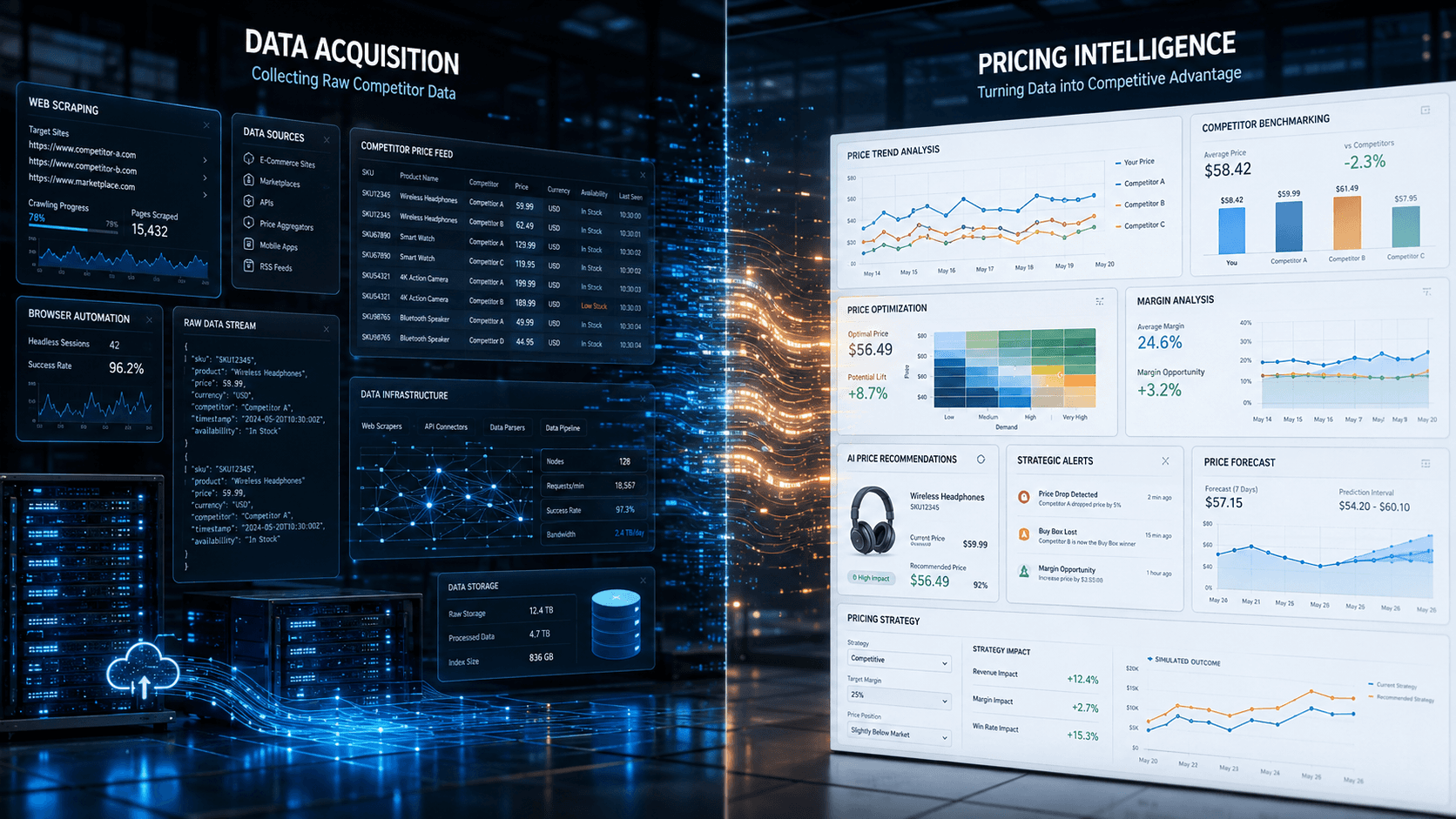
A competitor price monitoring system is a pipeline. Data flows through a sequence of layers, each with its own job and its own failure modes:
Layer | What it does | Where it gets hard |
|---|---|---|
Target definition | Decides which competitors, products, and URLs to track | Keeping the target list current as catalogs change |
Data acquisition | Fetches pages reliably at scale | Anti-bot systems, JavaScript rendering, proxies |
Parsing & extraction | Pulls price, availability, and attributes from each page | Layout changes silently break parsers |
Normalization & validation | Cleans and standardizes the data | Inconsistent formats, currencies, units |
Product matching | Maps competitor products to your own catalog | Missing identifiers, different naming |
Storage | Keeps current and historical prices | Time-series volume, price-history modeling |
Change detection & alerting | Flags meaningful moves | Distinguishing signal from noise |
Pricing intelligence | Turns data into decisions | This is where the business value lives |
You can build all of it, or offload the heavy parts — more on that at the end. Let's go layer by layer.
Step 1 — Define your targets and scope
Start narrow. Pick the competitors and the subset of products that actually influence your pricing decisions, rather than trying to mirror entire catalogs from the outset. For each target you need a stable way to reach the relevant pages: category URLs, search queries, sitemaps, or a seed list of product URLs.
The unglamorous but important part is maintenance of this list. Competitors add, rename, and retire products constantly, so treat the target set as something that has to be refreshed, not defined once.
Step 2 — Build the data acquisition layer
This is the core of the system and the part teams consistently underestimate. Modern ecommerce sites are not built to be scraped, and three problems show up almost immediately:
Anti-bot protection. Large retailers actively detect automated access by analyzing request patterns, browser fingerprints, and session behavior. Without proper handling, requests get blocked, throttled, or served incomplete or misleading data (including decoy prices).
JavaScript-heavy pages. Prices and availability are frequently rendered client-side, so simple HTTP requests return markup without the numbers you need. Reliable extraction often requires a real browser environment that executes scripts and, sometimes, interacts with the page.
Access infrastructure. Running at any scale means managing proxy pools, rotating IPs and sessions, respecting rate limits per site, and handling retries and failures gracefully.
At minimum this layer needs: a fetching engine (HTTP client plus headless browser for JS pages), a proxy/session management strategy, per-site rate limiting, and robust retry and error handling. Getting this stable is usually 60–70% of the total engineering effort.
Step 3 — Parse, normalize, and validate
Once you have the page, extract the fields that matter — title, current price, promotional price, availability, brand, identifiers, and key attributes. Then normalize everything into a consistent schema: unify currencies and number formats, standardize availability states, and reconcile attribute names across sites (one store's "cost" is another's "sale_price").
Validation is what keeps bad data out of decisions. Add sanity checks — price within a plausible range, currency present, required fields non-empty — so that a broken parser produces a flagged error instead of a silently wrong number flowing downstream.
Step 4 — Solve product matching (the underrated hard part)
Prices are only useful once you know which competitor product corresponds to which of yours. This is often the hardest part of the whole system, because retailers describe the same product differently and identifiers are frequently missing.
A layered matching strategy works best, from highest to lowest confidence:
Standard identifiers — EAN, UPC, GTIN, or MPN when available. Most reliable.
Brand + model + distinguishing attributes — strong when identifiers are absent.
Fuzzy title and attribute similarity — handles messy, inconsistent listings.
Model-based / embedding matching — for ambiguous cases at scale.
Human review — for the long tail where confidence is low.
We break down each method, its typical errors and the data it needs in our guide to how product matching works. Investing here pays off directly: weak matching quietly corrupts every downstream comparison and index.
Step 5 — Store current and historical prices
You need both the latest snapshot and history. Price history is what enables trend analysis, price-index tracking, and understanding competitor promotion patterns. Model it as time-series data — each observation stamped with a timestamp and source — so you can reconstruct how any product's price moved over time. Plan for volume: even a modest catalog monitored daily generates a lot of rows quickly.
Step 6 — Add change detection and freshness control
On top of storage, add logic that detects meaningful changes — a competitor dropping below your price, a new promotion appearing, an item going out of stock — and surfaces them through alerts or dashboards. The goal is signal, not noise: a rounding-level change usually isn't worth an alert; crossing your own price point is.
This is also where the per-category refresh schedule from the start of the article gets enforced: fast categories polled often, stable ones less so, so you spend crawl budget where it changes decisions.
Step 7 — Build the pricing intelligence layer
Everything above exists to feed this. Clean, matched, historical competitor data becomes the foundation for:
Competitive price monitoring — how you compare across products and categories.
Price index analysis — your market position over time.
Promotion tracking — competitor discounts and campaigns as they appear.
Dynamic pricing — feeding competitor data into algorithms that adjust your prices to market conditions.
Category insights — assortment strategy, long-term trends, competitive behavior.
This layer is where your business actually differentiates. Notably, it's also the part no vendor can build for you, because it encodes your strategy.
The parts teams underestimate
Two costs tend to surprise people after launch. The first is maintenance: sites change layouts constantly, and each change can silently break extraction for that source. Keeping a scraper fleet healthy is an ongoing engineering commitment, not a one-time build. The second is data quality: blocked requests, decoy prices, and parser drift degrade data gradually, so you need monitoring on the data itself — freshness, coverage, and validation pass rates — not just on whether jobs ran.
Build vs. buy the acquisition layer
Here's the practical decision most teams reach: the acquisition layer (Steps 1–3, plus the maintenance burden) is generic infrastructure that doesn't differentiate your business, while the pricing intelligence layer (Step 7) is where your value lives. That split is exactly why many teams build the intelligence themselves but offload data collection.
We cover that trade-off in depth in Build vs Buy: Do You Really Need to Build Your Own Competitor Data Pipeline? — worth reading before you commit engineers to the acquisition stack.
If you'd rather skip the hardest layers, ShopScraping delivers ready-to-use competitor pricing data — crawling, anti-bot handling, JavaScript rendering, extraction maintenance, and normalization all handled — as clean, validated datasets in CSV, XLSX, or JSON. Your team plugs that into the matching, storage, and intelligence layers and focuses on pricing strategy instead of scraper upkeep.
If you decide to buy, use our buyer’s guide to price monitoring tools to compare options and run a pilot.
Conclusion
A real-time competitor price monitoring system isn't a single script — it's a pipeline spanning acquisition, parsing, matching, storage, change detection, and intelligence. The technical center of gravity is the data acquisition layer, and the strategic center of gravity is what you do with the data once it's clean. Decide deliberately which layers you build and which you offload, size "real-time" to each category rather than chasing instant updates everywhere, and you'll end up with a system that's both affordable to run and genuinely useful for pricing decisions.


